
↵Open
Acme Deals Limited changelog
Team Target Lists add roles, assignees, and ownership transfer
Feature
Nurture

Team Target Lists let you work a shared list together, with three list roles, ownership transfer, an assignee on every company, bulk and organisation-wide assigning, an assignee filter, analytics by assignee, change notifications, and a profile picture tip.
Share a list with clear roles
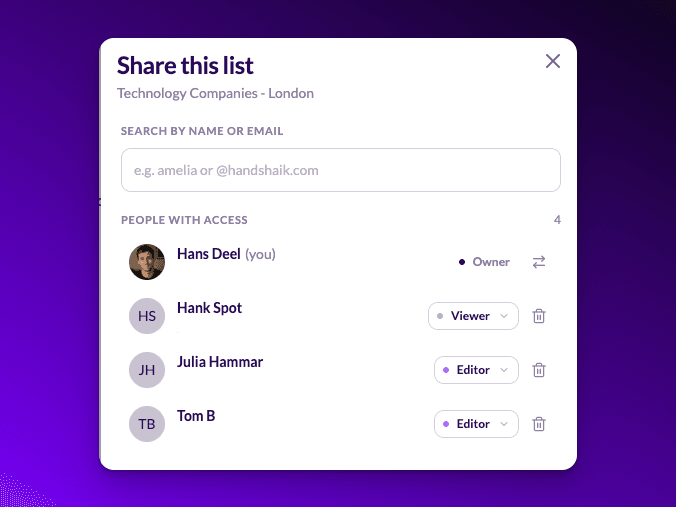
When several teammates worked one shared list, nobody could tell who had which company. People emailed the same contacts, and some companies went quiet. Now every Team Target List has three roles:
Owner manages sharing.
Editor works the list.
Viewer has read-only access, so there are no accidental edits.
Pick the role when you invite someone, and change it whenever you like. Owner, Editor, and Viewer describe what someone can do with the list. Assignee is who's working a specific company inside it.
Transfer a list without losing your work
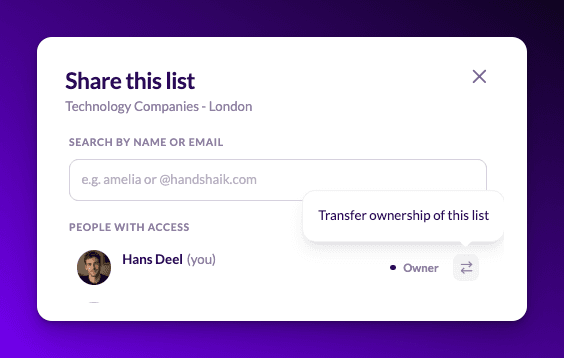
If the owner is leaving or going on leave, open Share, select Transfer ownership, and pick an Editor. The list stays intact, and the previous owner stays on as an Editor.
See who's working each company
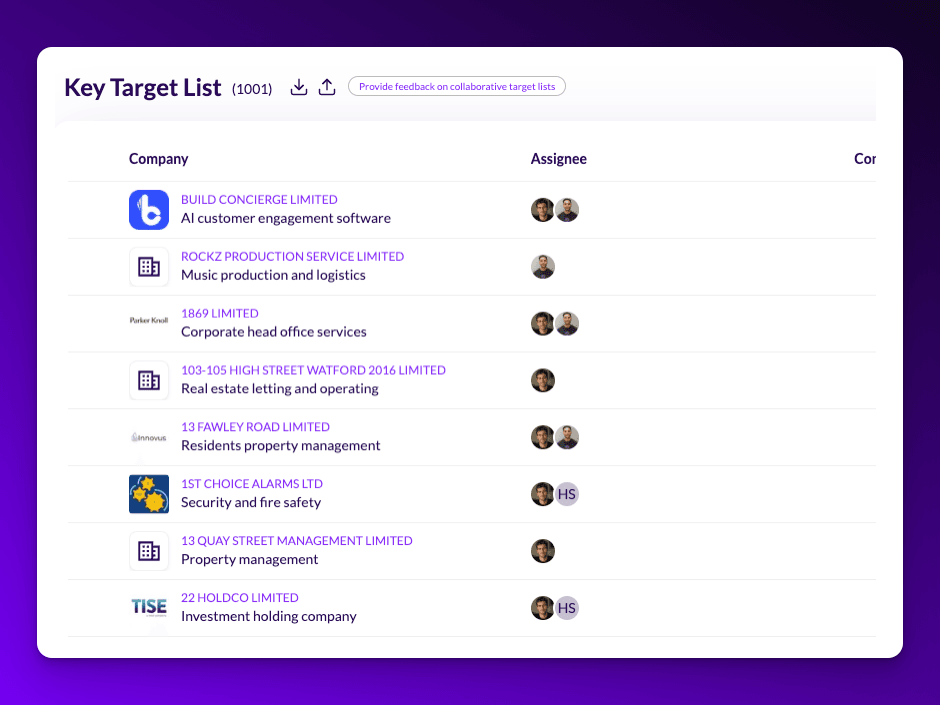
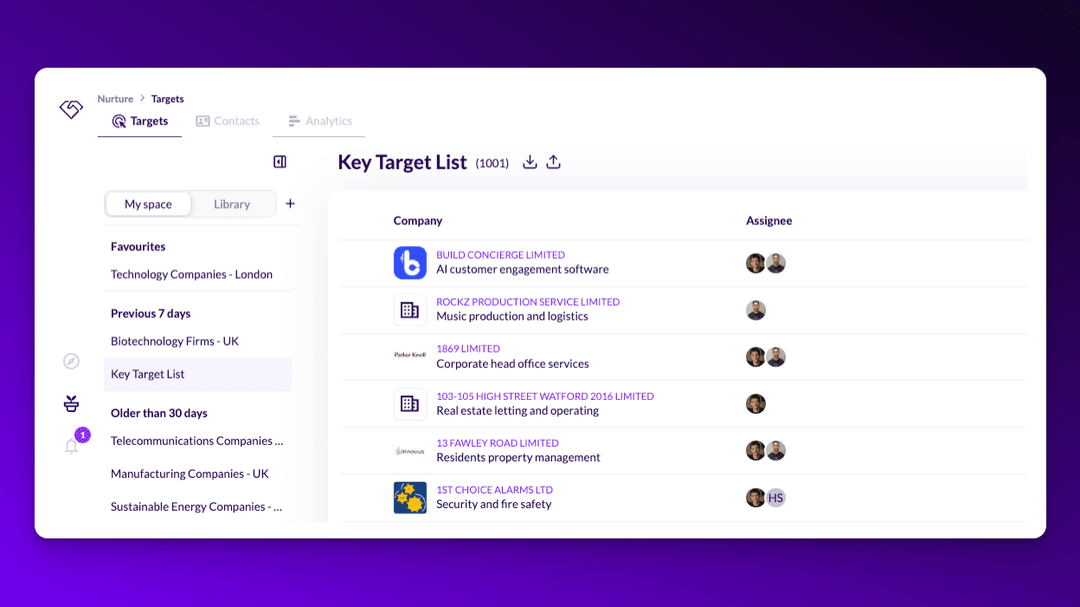
Open a list to see the new Assignee column. It shows who's working each company: one teammate or several co-assignees, with their avatars stacked in the row. When you add a company, you're assigned to it automatically. Assignees are included in exported data.
Reassign companies in bulk or to anyone in your organisation
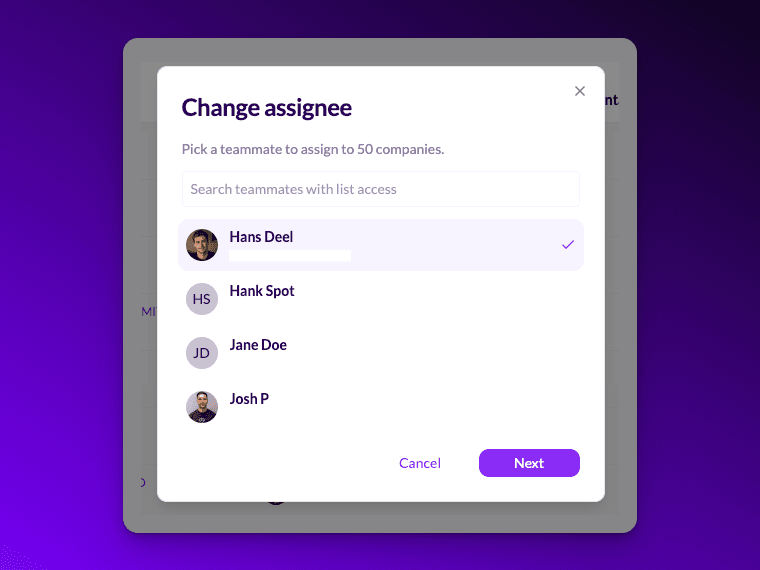
To hand companies to someone else, such as 47 accounts to a new hire, select them and choose Change assignee. Pick the teammate, then choose Sole assignee or Co-assignee.
You can also assign someone who isn't on the list yet. Open the company's Assignee cell and search your whole organisation. Pick someone new, and we'll add them as an Editor and assign the company in one click, without going through Share first.
Filter to your own companies
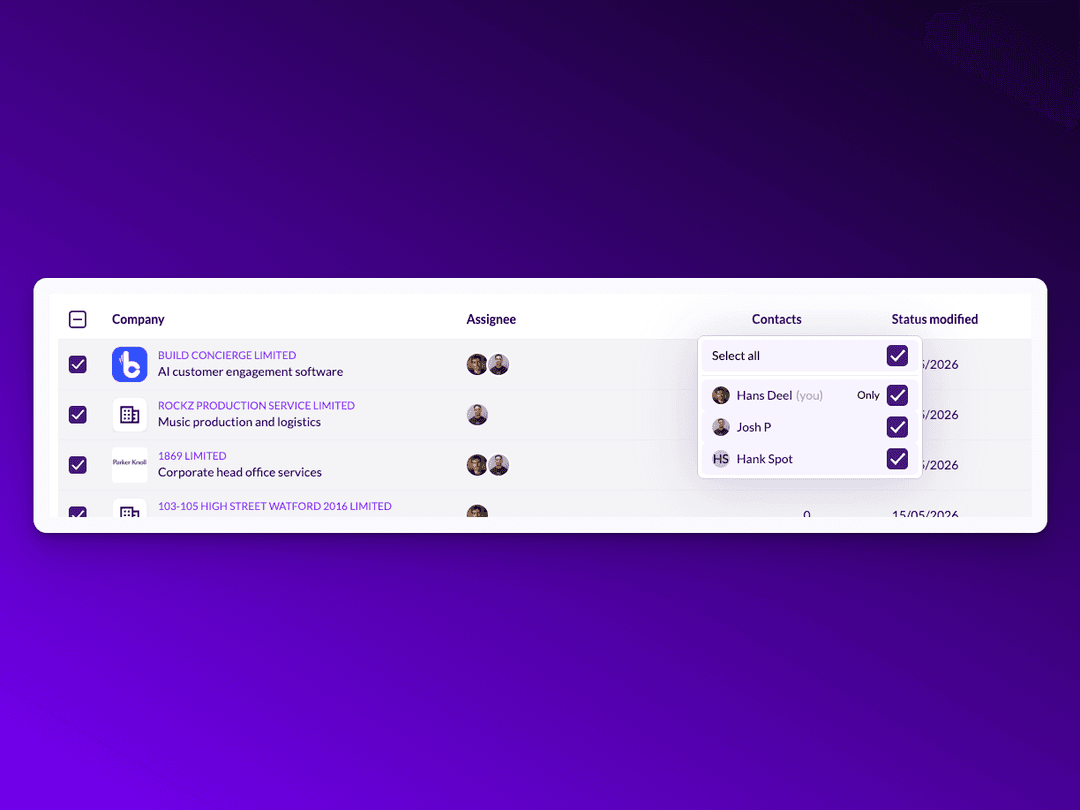
In table view, filter to the companies assigned to you, or to any combination of teammates.
Compare progress by assignee in analytics
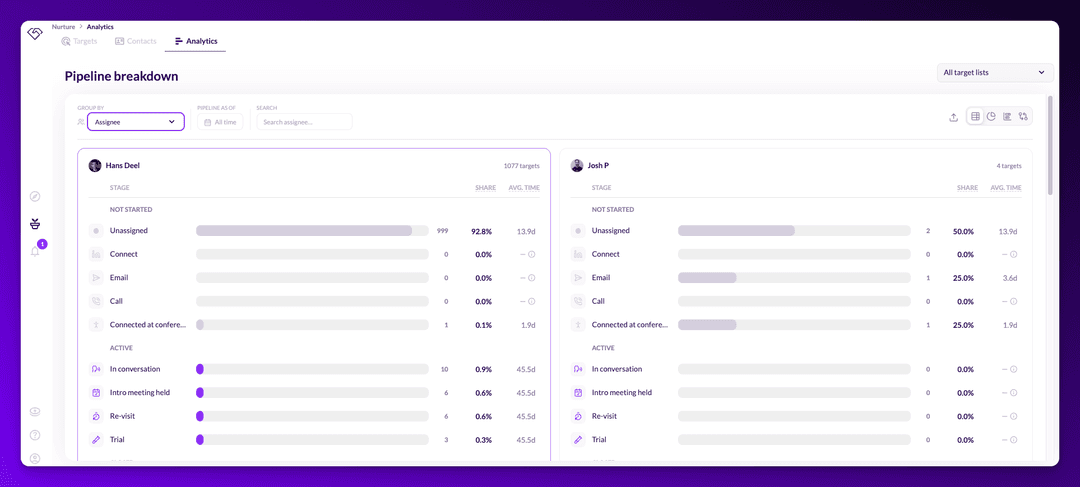
Group your nurture conversion analytics by Assignee to compare how each teammate's companies are progressing through your stages. You'll spot who could use a hand.
Know when your assignments change
When you're assigned a company, removed from one, or invited to a new list, you'll see a toast and a notification in the drawer. The actor's avatar sits over the company logo, so you know who made the change.
Add a profile picture so teammates spot your companies
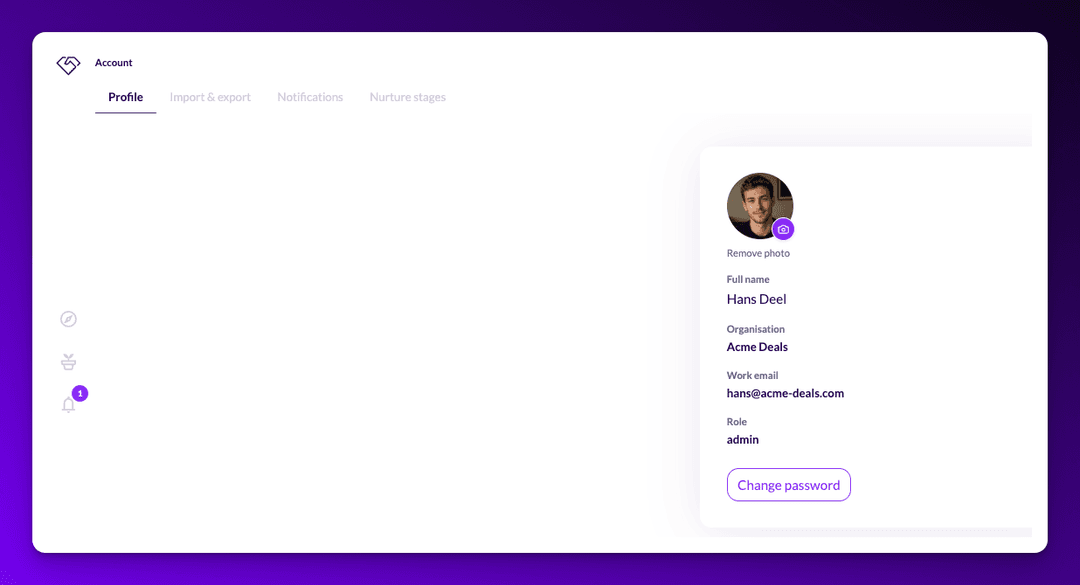
Upload your profile picture in the profile section to make your company assignments easier to spot.