
↵Open
Acme Deals Limited changelog
Notes show who wrote them and can be exported, plus a fix list for target list imports
Feature
Improvement
Nurture

Three updates for teams sharing accounts in Nurture: every note now shows who wrote it, you can export a target list with its notes, and target list imports show you exactly which rows didn't match.
See who wrote each note
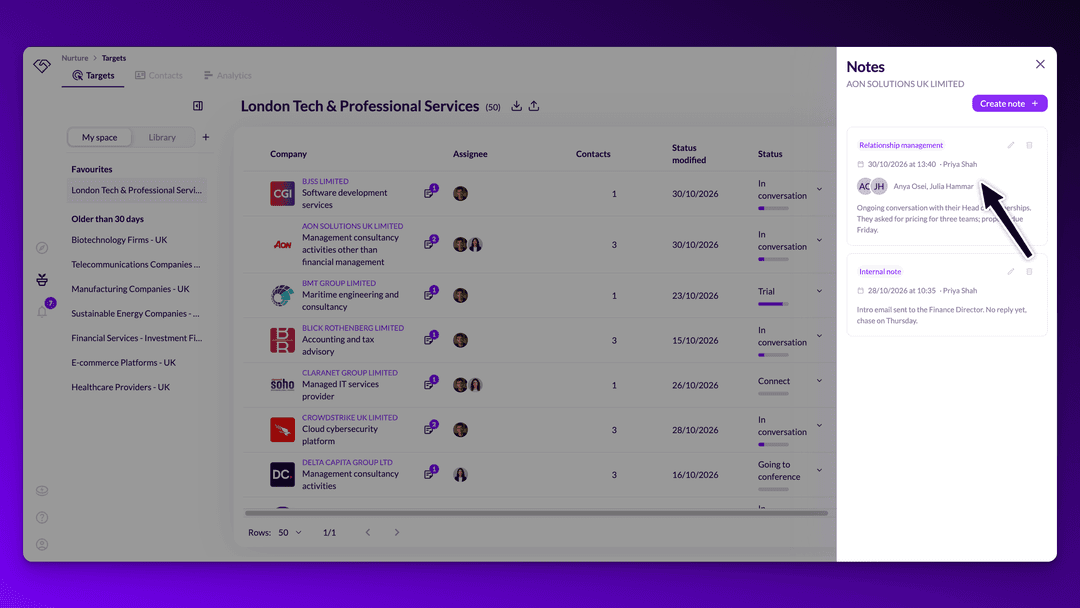
Notes didn't show who wrote them, so on a shared account you had to ask around to find out whose note you were reading. Now each note on a company or contact shows its writer next to the date. This includes older notes, because we've always recorded who wrote them. If the writer has left your organisation, the note shows Former user.
Relationship management notes can now have attendees, like the other meeting note types. Attendees are optional for this type, so you can still log a quick note without adding anyone.
Export a target list with its notes
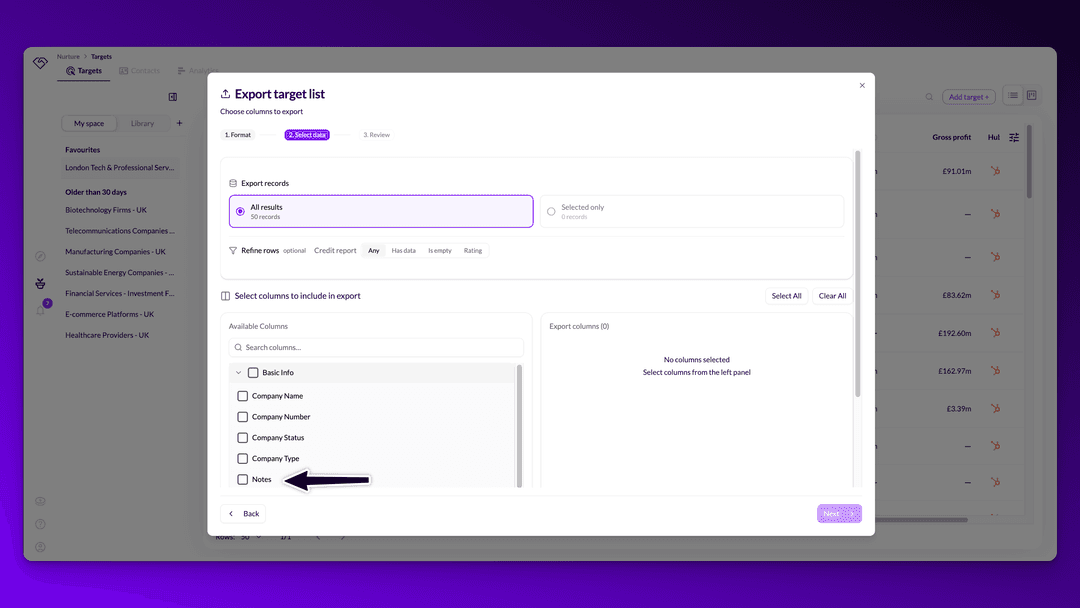
To share a company's history in a pipeline review, you used to copy its notes out one company at a time. Now you can tick Notes in the column picker when you export a target list. Each company gets one cell with all its notes, newest first:
Creator: Jane Smith
Date: 03/11/2026
Time: 14:30
Note: Called the FD, keen to meet in January.
Attendees: Tom Jones, Priya Shah
---
Creator: Sam Patel
Date: 21/10/2026
Time: 09:15
Note: Intro email sent.
Attendees: —
Notes belong to the company, so a company's notes are the same in every list it's on.
Very long histories: a spreadsheet cell holds about 32,000 characters. If a company's notes run longer, we include the newest notes that fit and note how many older ones were left out.
Works with CSV and Excel. Deleted notes are never exported.
See which rows didn't match when you import a target list
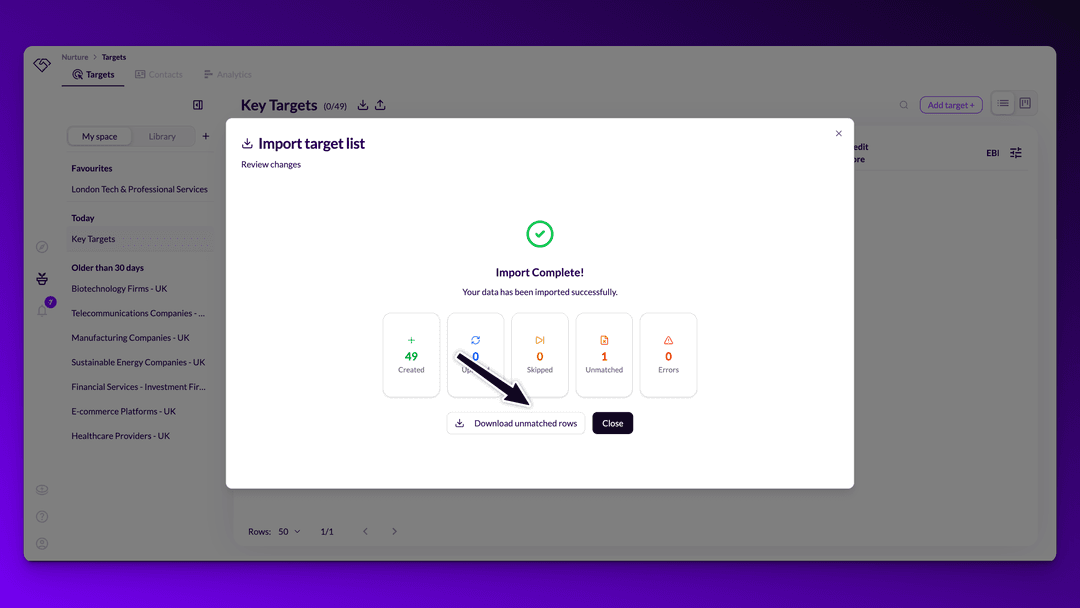
Imports used to tell you how many rows were skipped but not which ones. Now the import summary shows an Unmatched count. Select Download unmatched rows to get a CSV of every row that didn't match, with your original columns and the reason for each. You can also download it later for completed imports from Account → Import & export.
We match on company number first, then on the exact company name. If a row didn't match, adding its company number usually fixes it. Correct the rows and re-import the same file.
Applies to company target lists only. People list exports and contact imports are unchanged.